
Cricket scoring app for Android
Score every ball. Share it live.
Criko is a free cricket scoring app for Android, with no subscription. Score your match ball by ball, even with no signal, and let your team watch the scorecard live on their phones.
- Free, no subscription
- Ball by ball
- Works offline
- Live scorecard
- Player careers
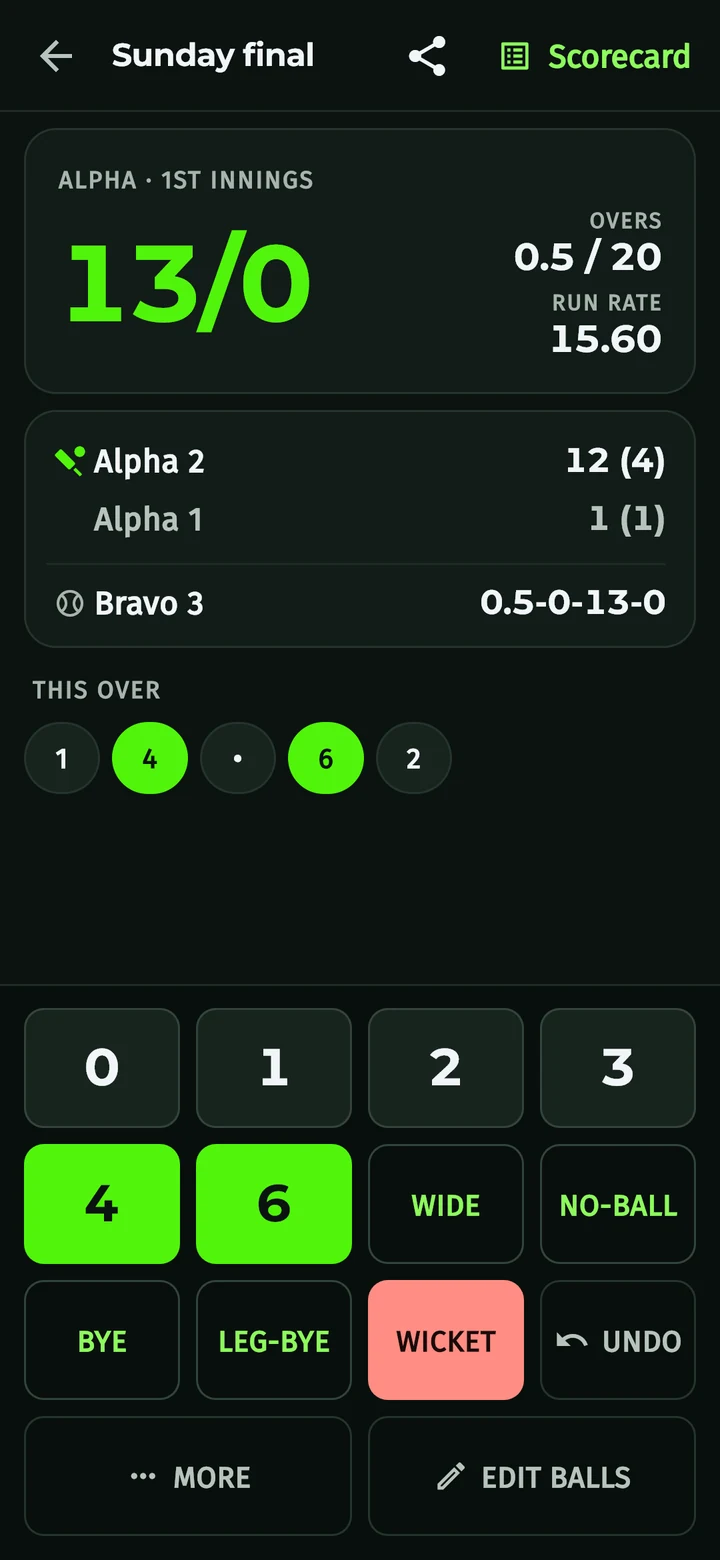
Built for the game you play
Everything a scorer needs at the boundary, and nothing that holds up the next ball.
Ball-by-ball scoring
Runs, extras, wickets and boundaries, each one tap. Made a mistake? Undo it.
Works offline
Scoring never waits for the internet. Your matches are saved on your phone.
Full scorecards
Batting, bowling and innings totals, updated as you score.
Your teams and players
Build your squads once and pick them for every match.
Registered players
Players sign in with Google and get a player code (CRK-XXXXXX), so you can find them by email or code. No account? Add them as a guest by name.
Automatic backup
When you are online, your matches and teams are backed up to your account.
A closer look
Screens from the app, shown with sample match data.
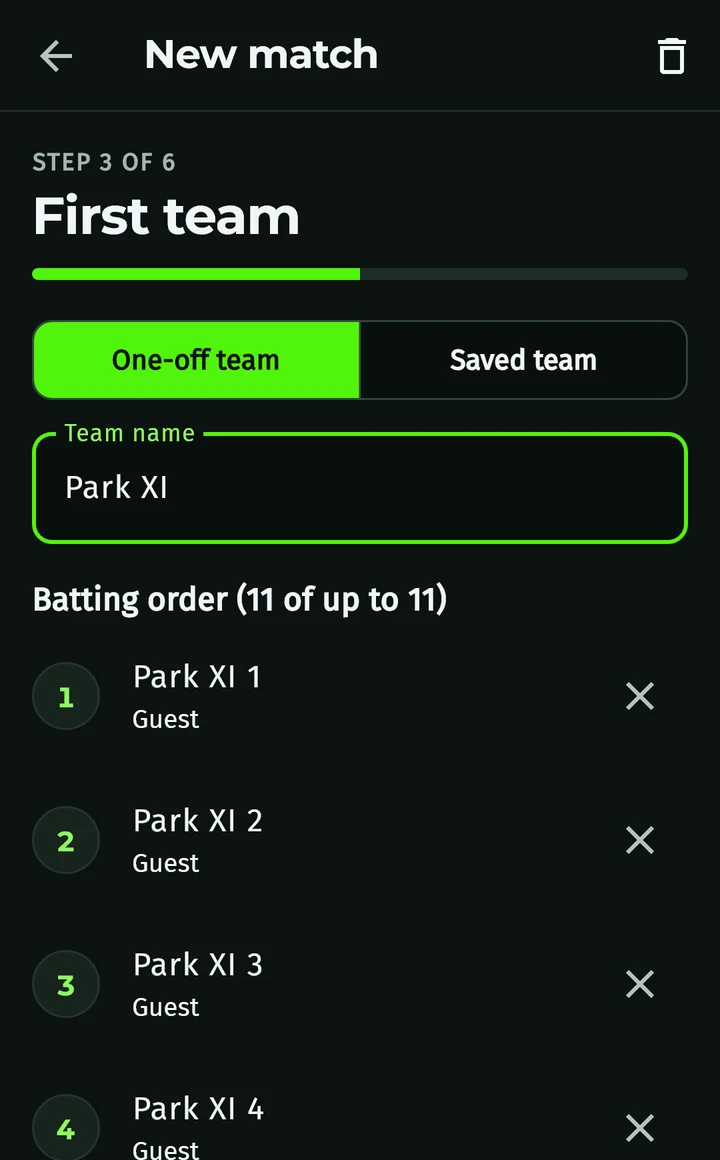
Set up in seconds
Pick T10, T20, 50 overs or custom, then type in a one-off side or choose a saved team.
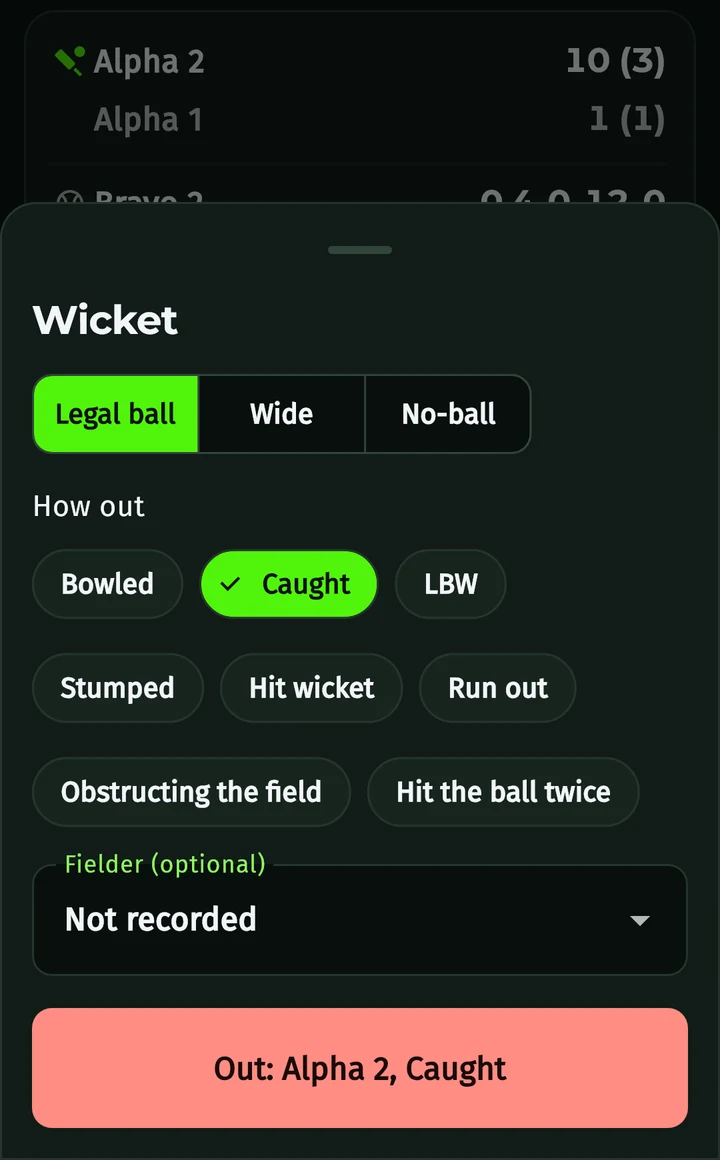
Every way out
Bowled, caught, LBW, stumped, run out and the rare ones too, with the fielder if you want it.
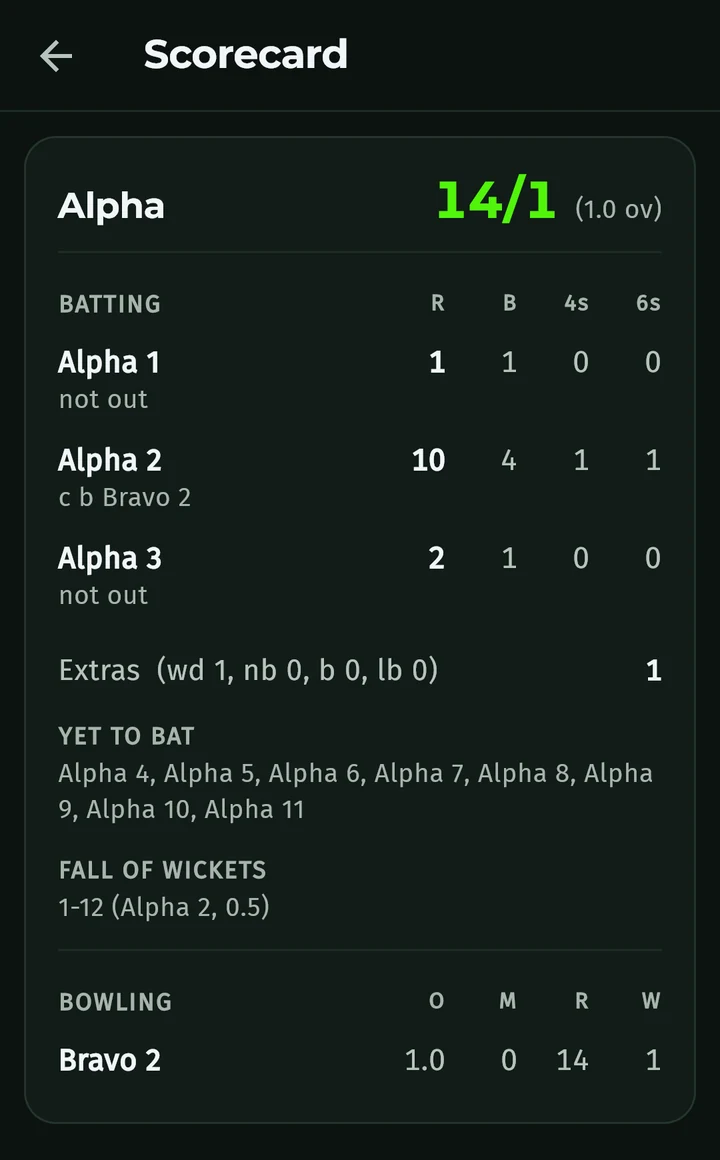
The full scorecard
Runs, balls, fours and sixes, extras, fall of wickets and bowling figures.
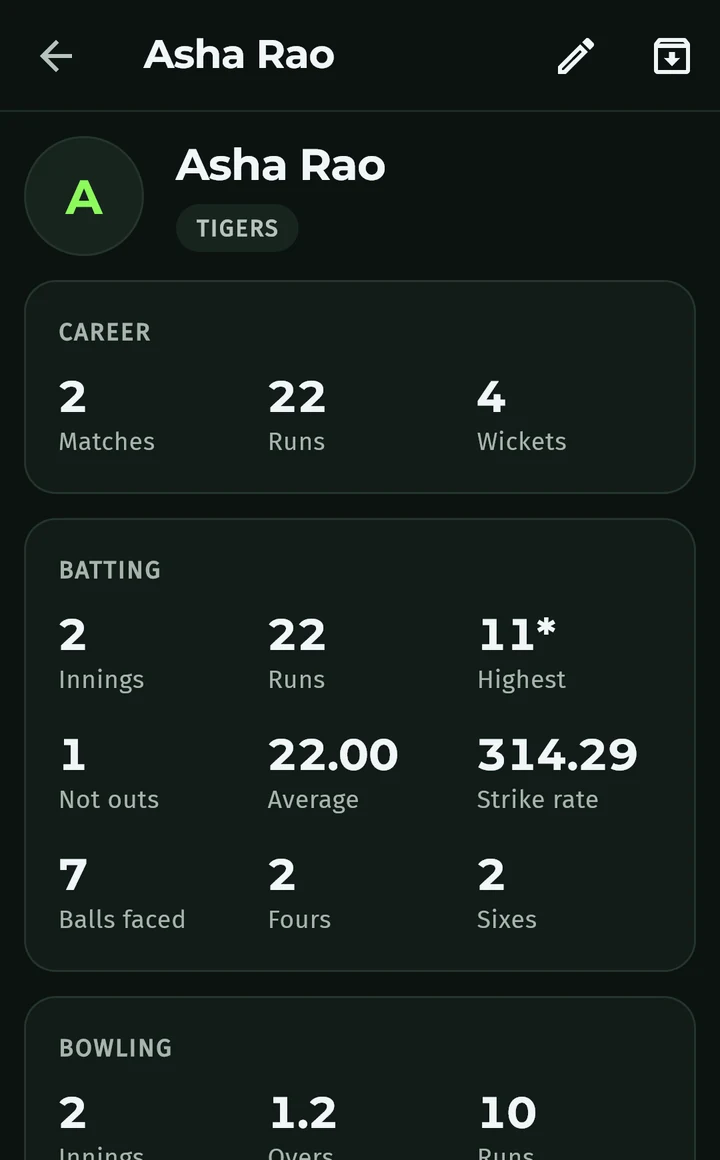
A career for every player
Matches, runs, wickets, averages and strike rates add up across games.
Live scorecard
Watch live, anywhere
Not at the ground? Follow every ball from wherever you are.
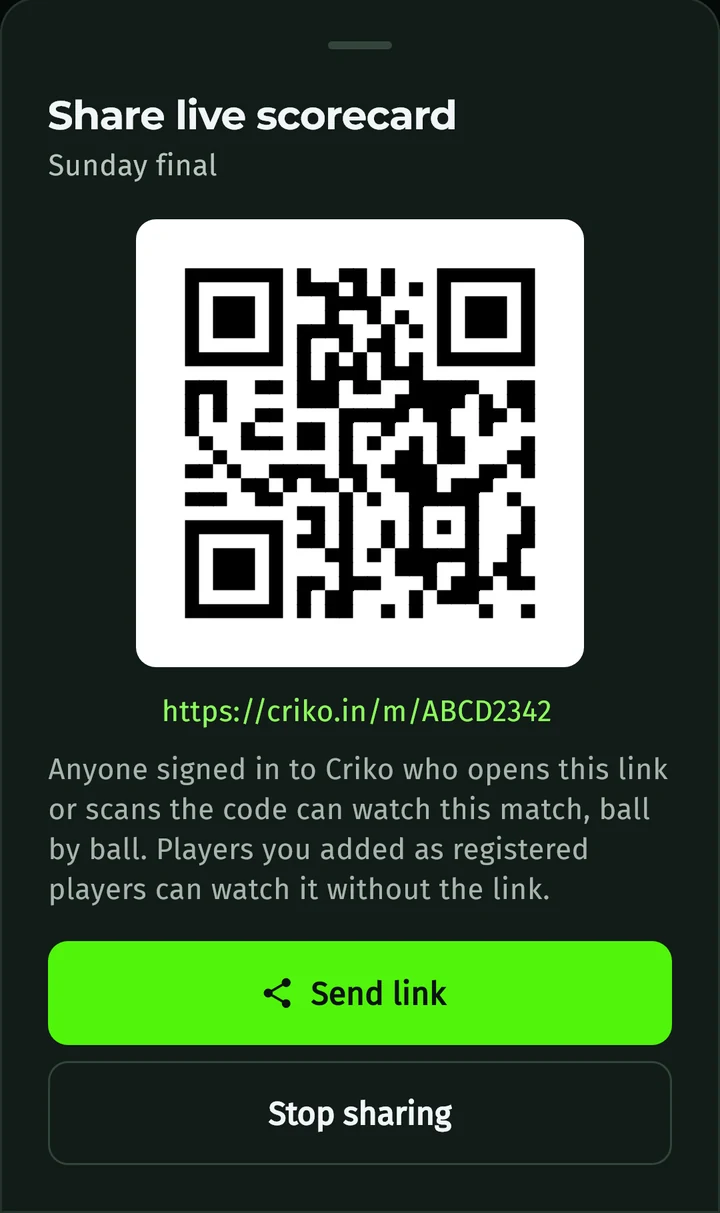
- The scorer taps Share and sends a link or QR code, on WhatsApp or anywhere else.
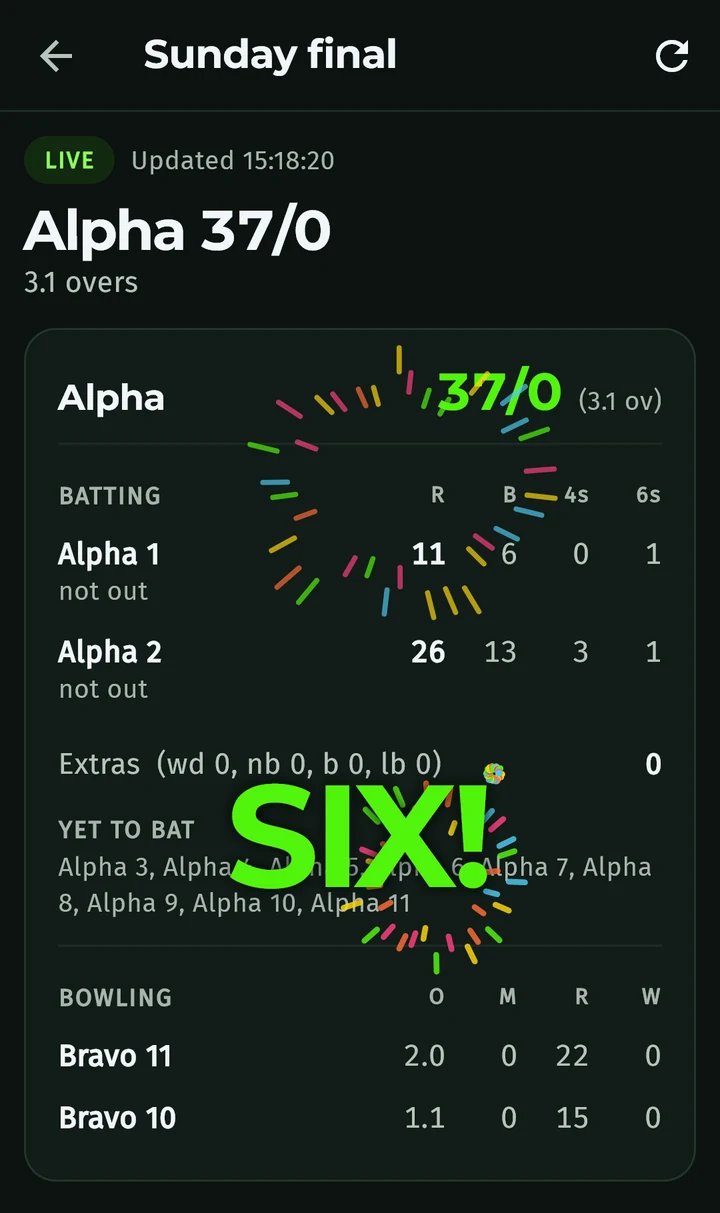
- Anyone signed in to Criko who opens it sees the live scorecard, updating every few seconds as balls are bowled.
- Registered players in the match see it automatically under Shared with me, no link needed.
- Fours and sixes are celebrated with fireworks on the live scorecard.
- The scorer can stop sharing at any time, and the link stops working.
How it works
From the toss to the last ball in three steps.
- Step 1Sign in with Google and set up your teams.
- Step 2Start a match and score each ball.
- Step 3Share the link so everyone can follow live.
Common questions
Is Criko free?
Yes, completely. There is no subscription and nothing to buy. Every feature, from live scorecards to backup and player careers, is free.
Do I need internet to score?
No. Scoring works offline. Backup and live sharing need a connection.
Can I fix a mistake?
Yes. Undo takes back the last ball, and Edit balls lets you correct earlier ones.
Can I add players who don’t use Criko?
Yes. Add them as guests by name. Players who sign in also get a player code.
Who can see my matches?
Only you, the registered players in the match, and people you send the share link to while it is shared.
Which phones does it work on?
Android phones running Android 7.0 or newer. iPhone is not available yet.
Is Criko on Google Play?
Not yet. Download it from this page and install it in a few taps.
Why do I need a Google account?
It keeps your matches backed up, gives you a player code, and lets your team watch live.
Get Criko
Criko 1.3.0 for Android, straight from criko.in. Free, with no subscription.
Needs Android 7.0 or newer. iPhone is not available yet.
Installing it
- Tap Download and open the file when it finishes.
- If Android asks, allow your browser to install apps, then tap Install.
- Open Criko and sign in with Google.
Questions? Email support@criko.in.
Criko is made by optivanTech. Read our Privacy Policy.